
Plots and roles
Ollam Technologies
This project was carried with Marie-Noëlle Thivend and Aysenur Akman.
Research
Conception UX
Wireframe et prototypage
Construction et maintenance de Design System
Rédaction de documentation technique
Context
Éditeur de logiciel, Ollam Technologies développe une suite dédiée aux amateurs de jeu de rôle. Pour son lancement, l’entreprise s’est concentrée sur deux logiciels : Lore et Tome. Tandis que Lore est axé sur la création d’univers, Tome s’oriente sur la conception d’histoires.
Suite à un premier rendu d’amélioration de fonctionnalité (cf. Amsel Suite : Palette), j’ai poursuivi ma collaboration avec l’équipe UX sur la conception de deux nouvelles fonctionnalités majeures dans Tome : les intrigues et des rôles.
The goals
The goal of these features is to assist the game master in managing the story by highlighting impacting events and characters in his scenario.
Whereas the plots follow the decisions made by the playes in an Q&A manner (eg. Do the addventurers buy the blue potion?), the roles link one or numerous charcaters to an event.
With this in mind, we thought about each phase the features would go through :
- The creation/the insertion - The user must be able to easily create a plot or role or refer to them directly from his workzone,The goal is to avoid interrupting their creative flow on technicalities.
- The edition - The user must be able to edit his units from the worzone in a way thatdoesn't make him go back and forth in the various software pages.
- The management - The user must have access to an overview enabling them to see the global trajectory of their story with the help of the important events highlighted through these features.
- The tracking - The user must be able to quickly spot the created units located in the chapters of the story without having to open every scene.
The results
Creation/insertion
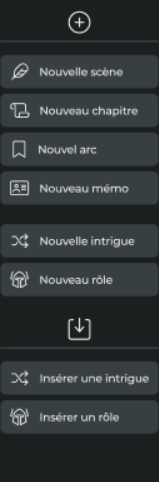
In coherence with the palette re-design (cf. Amsel Suite : Palette), we have grouped all unit creation on the same are by adding two buttons : "new plot"/'new role" and "insert plot"/insert role". As the units can only be active in text zones, the buttons only appear when the user's cursor is in this zone. This dynamic is thought so that irrelevant buttons are not visible while they navigate through the software.
Edition
Once a unit is created or inserted, they appear as blocks in the text areas. This enables to highlight the units in the middle of the rest of the content and makes them available directly in the storyline.
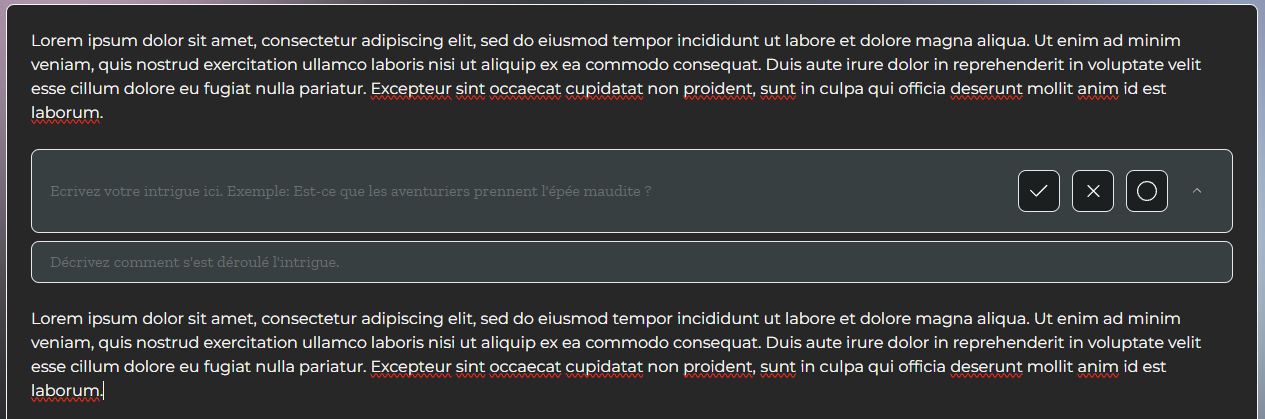
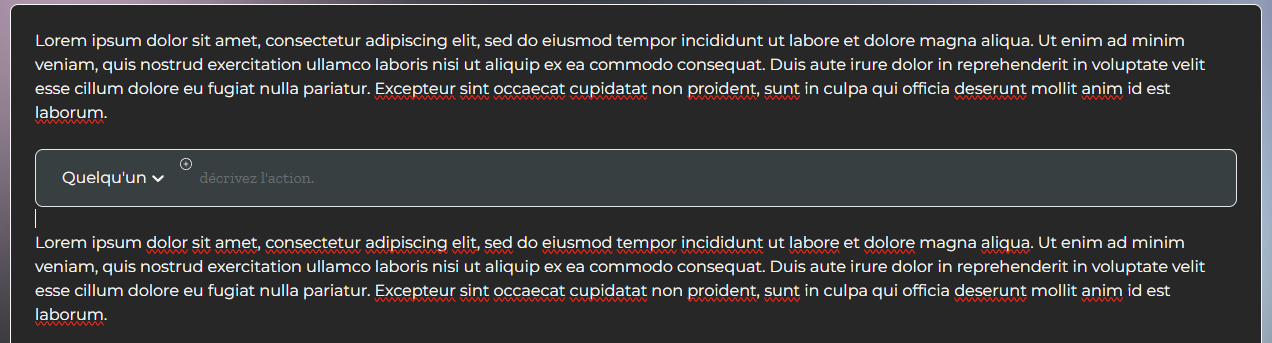
A default text sample is visible to help the user in understanding what content he can add in this unit.
Management
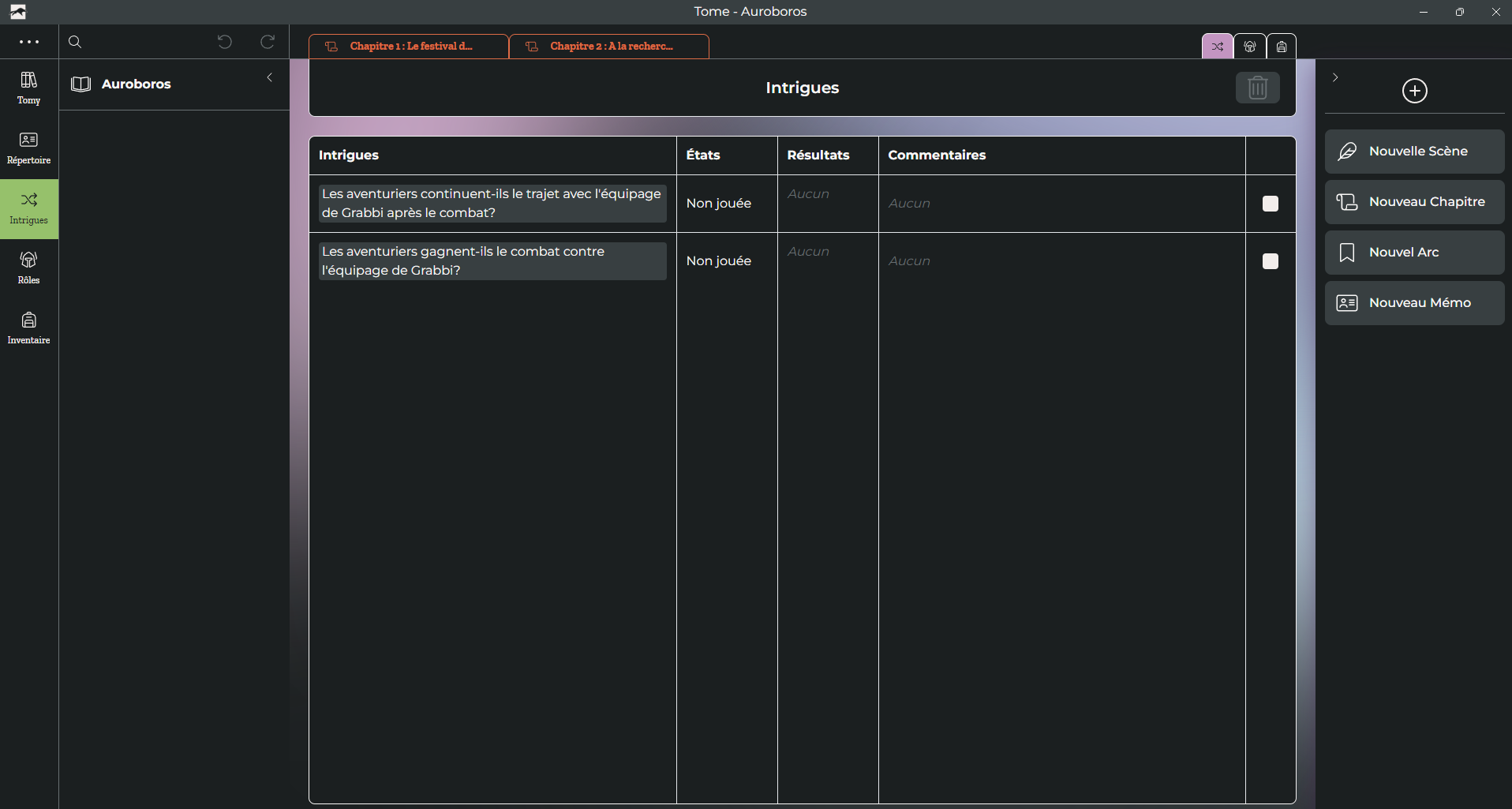
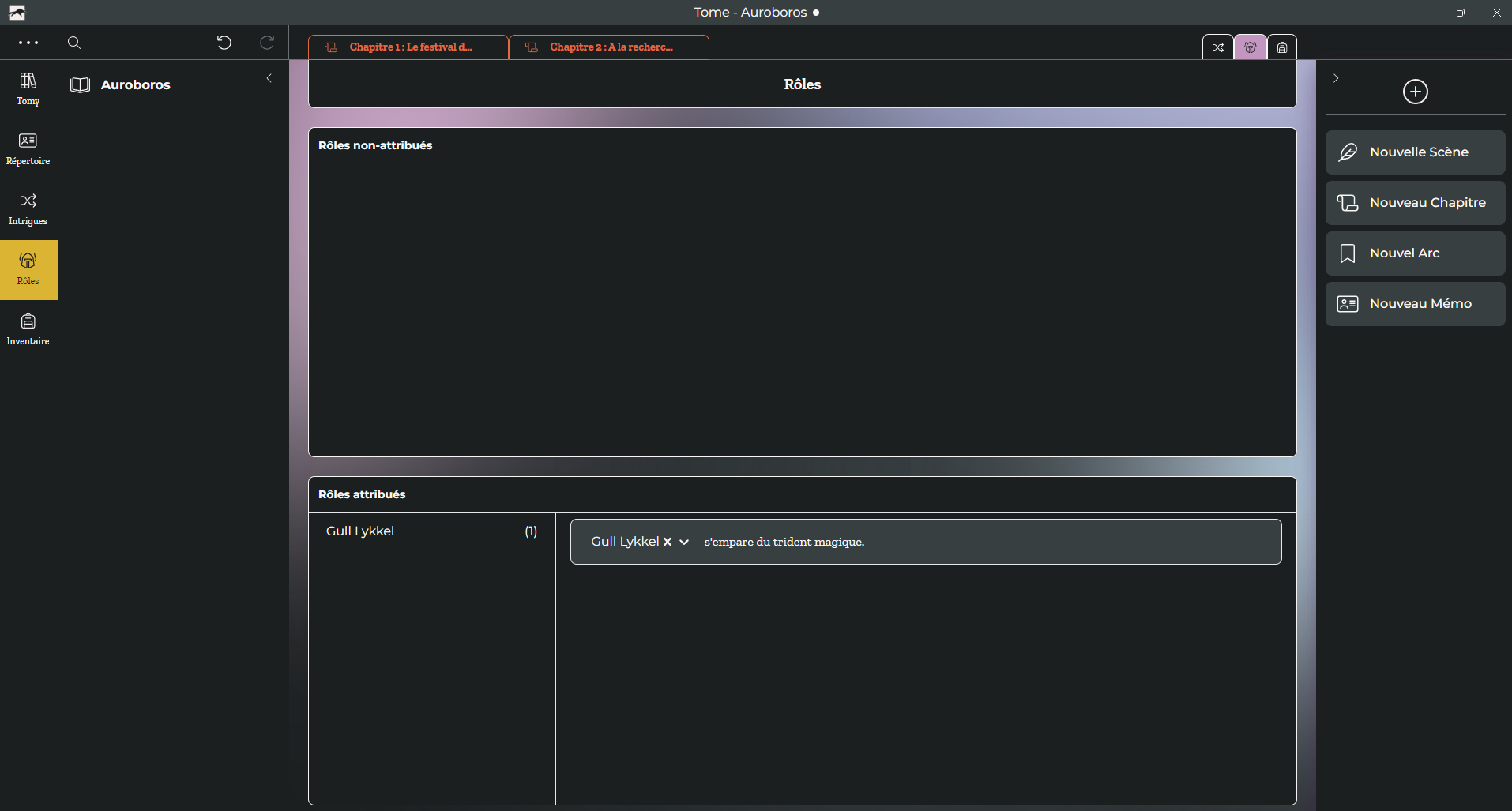
The Plots and Roles features also have dedicated pages in the navigation menu on the left. They serve as dashboards listing every unit created by the user in the story. This way, the user can edit or delete numerous units which gives them a smoother mass management.
You can find all informations regarding the Amsel Suite on the company's dedicated website..